> For the complete documentation index, see [llms.txt](https://docs.zero.inc/llms.txt). Markdown versions of documentation pages are available by appending `.md` to page URLs; this page is available as [Markdown](https://docs.zero.inc/features/agents.md).
# Agents
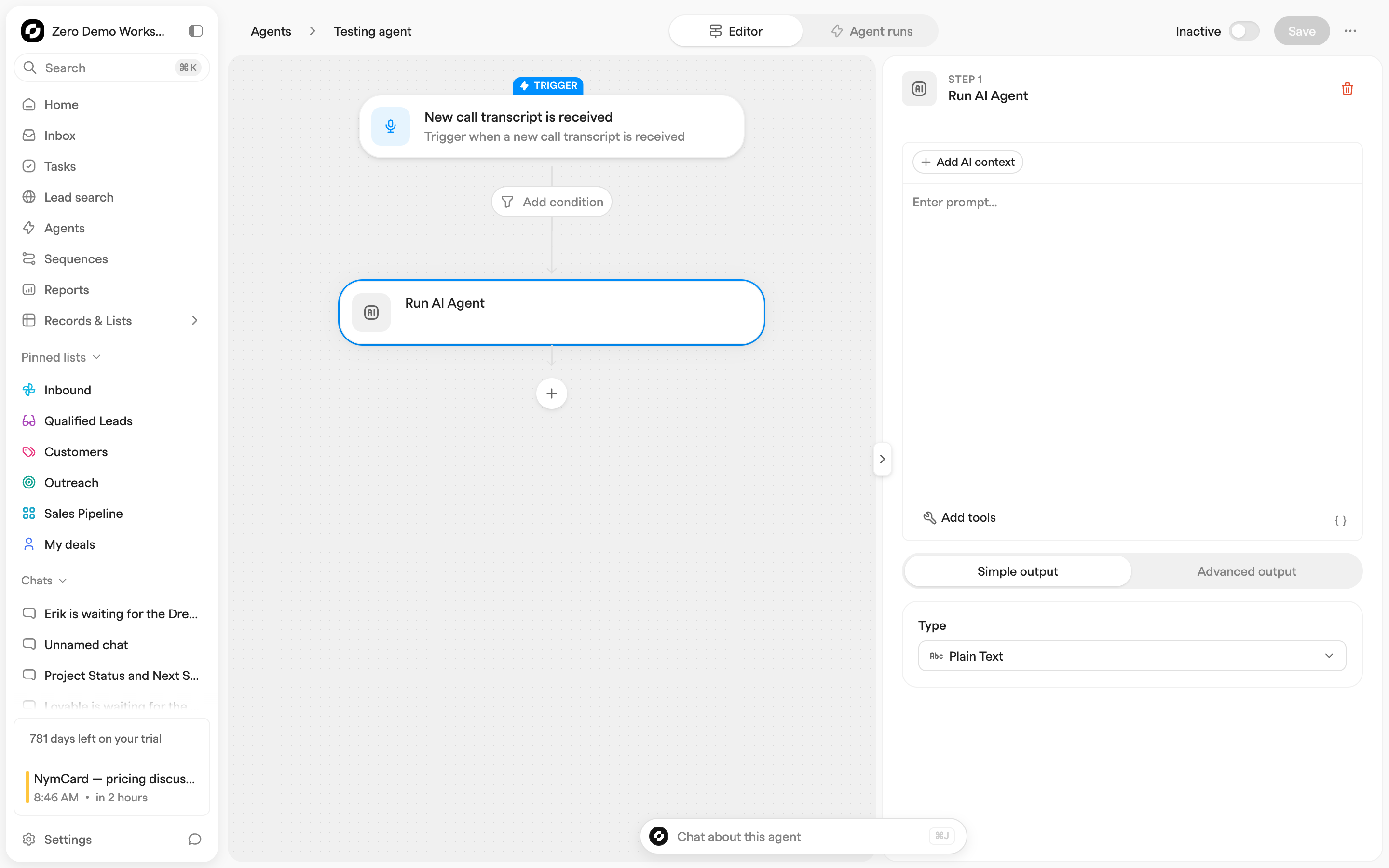
Most go-to-market work is the same handful of moves repeated: a lead arrives and someone has to route it, a deal changes stage and someone has to notify the team, a call ends and someone has to write the task. An agent is that sequence written down once — a trigger, then the actions that follow — so it happens without you. It runs with your workspace's context behind it. Once an agent is active it runs on its own, so decide as you build it what should reach a customer unattended: the **Send email** action has a **Save as a draft** option that leaves the message in the mailbox for someone to review and send.
Open **Agents** in the sidebar. **My Agents** holds your workspace's agents, groupable into folders; **Explore** holds templates you can add and adapt; **New agent** starts from nothing. New workspaces also come with a **Starter agents** folder, switched off until you turn them on.
## Building an agent
{% stepper %}
{% step %}
### Pick a trigger
The trigger decides when the agent wakes up. **General** triggers watch your records; **Presets** watch specific events elsewhere in Zero.
**General**
* **Record is added**
* **Record is edited** — pick the column to watch and, optionally, the value it changes **From** and **To**
* **Record is added to a list**
* **Record is removed**
* **Manually triggered**
* **Based on a schedule**
* **Webhook call is received**
**Presets**
* **Deal moves to a stage**
* **Calendar event starts**
* **Calendar event ends**
* **New call transcript is received**
* **Task is due**
* **File is uploaded to a record**
* **LinkedIn connection is accepted**
* **Email is received**
Most triggers also take a condition, so the agent only runs on records matching a filter, and an **Execution delay** that waits before running.
An agent can have several record triggers. Schedule, webhook and preset triggers only work when the agent has one trigger.
{% endstep %}
{% step %}
### Chain the actions
Actions run in order, and each one can use what the previous steps produced. The step picker groups them:
* **AI** — **Run AI Agent**: ask an LLM to analyse some data as part of the workflow and pass the result to the next step(s)
* **Manage records** — **Find records**, **Edit record**, **Add a company**, **Add a contact**, **Add a deal**, **Remove record**, **Add to a list**, **Remove from a list**, **Add to a sequence**
* **Manage activities** — **Add a task**, **Add a note**, **Add a comment**, **Log activity**
* **Send messages** — **Slack bot message**, **Slack user message**, **Send email** (an internal notification, or an email from a connected mailbox)
* **Integrations** — **Webhook** (send a request to any API: your app, PostHog, n8n, Zapier, your website), **Slack Channels**, **Add to Loops**, **Add to Resend**, **Add to Apollo**, **Add to Instantly**
* **Logic** — **Condition**, **Round Robin** (e.g. route incoming leads to selected users in your workspace in a sequential order), **Wait**, **Calculate**, **Start agent**
{% endstep %}
{% step %}
### Save, activate, watch it run
Name the agent, click **Save**, and flip the top-bar toggle from **Inactive** to **Active**.
Switching the top bar from **Editor** to **Agent runs** shows every past run step by step, including the errors — the first place to look when an agent is not doing what you expected.
{% endstep %}
{% endstepper %}
---
# Agent Instructions
This documentation is published with GitBook. GitBook is the documentation platform designed so that both humans and AI agents can read, navigate, and reason over technical content effectively. Learn more at gitbook.com.
## Querying This Documentation
If you need additional information that is not directly available in this page, you can query the documentation dynamically by asking a question.
Perform an HTTP GET request on the current page URL with the `ask` query parameter, and the optional `goal` query parameter:
```
GET https://docs.zero.inc/features/agents.md?ask=&goal=
```
`ask` is the immediate question: it should be specific, self-contained, and written in natural language.
`goal` is optional and describes the broader end goal you are ultimately trying to accomplish on behalf of the user. GitBook uses it to tailor the answer towards what is most useful for that goal.
The response will contain a direct answer to the question and relevant excerpts and sources from the documentation.
Use this mechanism when the answer is not explicitly present in the current page, you need clarification or additional context, or you want to retrieve related documentation sections.